All posts by feedwordpress

Our open Geography textbook is alive!

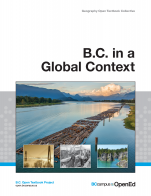
BC in a Global ContextWell, this is a few weeks later than I was hoping thanks to some last minute wrangling we needed to do with the PressBooks PDF output and image sizes, but it is finally ready for use.

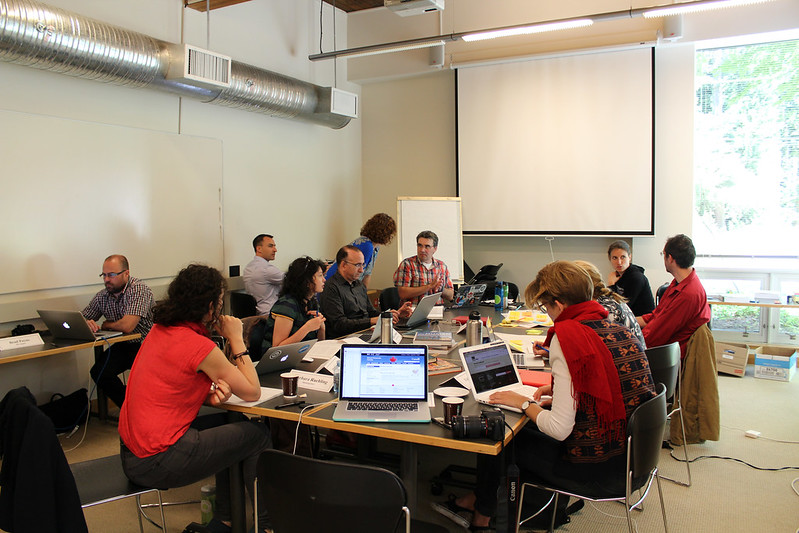
British Columbia in a Global Context is a first year Geography open (CC-BY) textbook that was created by a group of faculty, designers, librarians, instructional designers and other open educators during in a four day book sprint held earlier this summer.

This first year Geography textbook takes a holistic approach to Geography by incorporating elements of physical, human and regional geography, as well as bringing in methods and perspectives from spatial information science.

The process of how this book came about has been well documented so if you are interested, you can check out the posts on the BCcampus Open Education site. For now, I just want to get the word out and start finding Geography faculty who might be interested in reviewing the textbook.

Happy Birthday Wikimedia Commons

Sunday was a big day for the Wikimedia Commons.

Wikimedia Commons is turning 10 years old this Sunday — will you help celebrate? We’re asking everyone to join the Wikimedia community by sharing a freely licensed image with world.

You know, I have contributed, edited and created Wikipedia articles. And I have spoken of the love I have for higher education researchers & faculty who engage with Wikimedia and create clever and creative methods to add content to Wikipedia and the Commons. But, for some reason, it has never crossed my mind to actually contribute something to the Commons. I do contribute photos to the greater “commons” (the web) via my Flickr account where I license many of my images with a Creative Commons license, but I have never contributed something to the Wikimedia Commons.

So let’s fix that right now….

The Wikimedia Commons maintains a page listing image requests. There are a lot of image requests that post-sec faculty could contribute, especially in the sciences. So, if you have any of these specific images (or any image for that matter) consider uploading it to the Wikimedia Commons and improving the Commons.

Or, you can do what I did and contribute a photo of an historical monument in your community. Right now,  Wikimedia Commons has a contest running encouraging Canadians to upload a photo of a Canadian monument. So, over lunch I poked around the Wikimedia map of heritage monuments in my city, found a couple close to my house, took a walk with my phone, snapped a couple shots of the historical monuments in my neighbourhood and uploaded them to the Wikimedia Commons.

In the process, I even learned a bit about a (what I thought was) common structure that I have seen on a regular basis for close to 20 years going back to when I first started working at Camosun College. Turns out, this structure….

Richmond Road Streetcar Shelter - front

…which I have walked by and through hundreds of times over the past 20 years on my way to work when I worked at Camosun College (and was/is used by students as a smoke shelter), is actually a historically significant structure in my neighbourhood. Apparently, this little structure is a leftover from the days when a trolly used to roll up and down Richmond Road.

The heritage value of the Streetcar Shelter is as one of the last two remaining streetcar shelters in Victoria, the third Canadian city to have streetcars. The Victoria and district streetcar system was inaugurated by the National Electric Tramway and Lighting Company in 1890. The system was later bought in 1897 by the British Columbia Electric Railway (BCER) Company Limited, who operated it until 1948, when streetcars made their last runs. This shelter was constructed to service the Number 10 Streetcar, which made two trips a day to service the University School and then the Provincial Normal School.

I had no idea this little shack I used to walk through to get to work everyday for years was anything more than a fancy smoking structure.

I also grabbed a shot of another heritage structure at that location – the Provincial Normal School, now known as the Young Building at Camosun College, and contributed that.

Provincial Normal School (now known as Young Building)

But I digress because this isn’t about heritage structures. It is about contributing something to the greater good; something with educational value. By contributing to the Wikimedia Commons, I am, in a small way, making a bit of knowledge that much more accessible by making it visible in the web’s largest information repository. And it got me to thinking about why I share and how I share the stuff I create.

Like many of you, the reasons why I share my stuff on the web is multi-facted. To connect with others, to build relationships, to learn. But one of the really important reasons I share on the web is because I am an educator. I want others to be able to use the stuff I share to better understand their world. If a word I write, or a photo I take or a video I make helps someone somewhere understand something a bit better, then I am a happy man.

So, if by now I haven’t subtly encouraged you to contribute to the Wikimedia Commons, let me blatantly say it: contribute something to the Wikimedia Commons (which, right now, sits at around 22 million images in size). I know quite a few people who read this blog on a regular basis who share and contribute their content around the web (sometimes at the cost of using a particular service for free). Well, here is a chance to contribute something to a project that is a) non-commercial and b) educational. Share your content with the Wikimedia Commons and make it a stronger, better repository.

Open and free, redux; Or, yes the words do matter

I am helping to facilitate a course right now at Peer 2 Peer University called “Why Open?” I did so last year as well, and managed to squeeze out a few blog posts during that course, which can be found in 2013 posts under the Why Open category on this blog. 

We’re in week 2 of the course, and one of the things we’ve asked participants to do is to read a few documents about the differences between “open” and “free.” I blogged a bit about this last year, but realized as I was doing the readings this year that there is still a lot I don’t quite get. And the best way for me to understand things that I find complicated is to write about them.

Free software and open content 

Last year I didn’t really bother with focusing on software to think about the differences between “open” and “free,” but this year I decided it was high time I get familiar with this issue. Here’s where I’m at in my understanding so far, from reading some of the things posted for week 2 of our course, plus also a couple of other articles, noted below.

gnu-47524_640

GNU image from Pixabay.

The original in this dichotomy was free software, defined by four freedoms–as the Free Software Foundation puts it in their “free software definition”:

A program is free software if the program’s users have the four essential freedoms:

  • The freedom to run the program as you wish, for any purpose (freedom 0).
  • The freedom to study how the program works, and change it so it does your computing as you wish (freedom 1). Access to the source code is a precondition for this.
  • The freedom to redistribute copies so you can help your neighbor (freedom 2).
  • The freedom to distribute copies of your modified versions to others (freedom 3). By doing this you can give the whole community a chance to benefit from your changes. Access to the source code is a precondition for this.

A program is free software if it gives users adequately all of these freedoms. Otherwise, it is nonfree. While we can distinguish various nonfree distribution schemes in terms of how far they fall short of being free, we consider them all equally unethical.

There are, of course, similarities between these freedoms and those of the “open content definition” created by David Wiley, which now has 5 Rs:

The term “open content” describes any copyrightable work (traditionally excluding software, which is described by other terms like “open source”) that is licensed in a manner that provides users with free and perpetual permission to engage in the 5R activities:

  1. Retain – the right to make, own, and control copies of the content (e.g., download, duplicate, store, and manage)
  2. Reuse – the right to use the content in a wide range of ways (e.g., in a class, in a study group, on a website, in a video)
  3. Revise – the right to adapt, adjust, modify, or alter the content itself (e.g., translate the content into another language)
  4. Remix – the right to combine the original or revised content with other open content to create something new (e.g., incorporate the content into a mashup)
  5. Redistribute – the right to share copies of the original content, your revisions, or your remixes with others (e.g., give a copy of the content to a friend)

Both of these refer to what one can do with the work, the software, etc.–one should be able to revise it, reuse it, redistribute it, etc. Of course, I’m glossing over differences between these two definitions and lists of freedoms, but the basic idea is similar I think.

Free software and open source software

Finley argues in “Where the Free Software Movement Went Wrong (and How to Fix it)” that much of the software that fits under the definition of open source according to the Open Source Initiative would likely also be “free software” according to the four freedoms above. But honestly, looking at the four freedoms above and this definition of OSS, I’m having a hard time seeing exactly where they differ. I think that freedom 0 for FS is not really in the OSS definition, for one thing. And freedom 3, redistribution, is turned into the freedom to redistribute copies as part of an aggregation of software programs in the OSS definition. So there are practical differences between the two (this short article explains briefly how FS is always OSS, but not vice versa).

Tux2, by Larry Ewing, on Wikimedia Commons.

Tux2, by Larry Ewing, on Wikimedia Commons.

The Open Source Initiative’s FAQs on the difference between free software and open source software isn’t terribly helpful in trying to understand the differences. It states that the definitions of FS and OSS use different language, but ultimately get to the same place. I’m not entirely sure that’s the case.

Stallman says, in “Why Open Source Misses the Point of Free Software”, that there is a big difference in values and purposes. Those who support “free software” are motivated by and focus on the freedom of the user/developer to do what they will with the software. While proponents of “open source software,” Stallman argues, aren’t so concerned about such freedoms and are instead interested in the pragmatic benefits that can be had through using open source software–better programs, easier ability to gather data, etc. And as a result, the OSS people aren’t worried if some of the four freedoms get curtailed, such as through “Tivoization”.

According to Morozov, in “The Meme Hustler“, Free Software (and its proponent, Richard Stallman) focused on the freedoms of the user of software–their ability to use it on various machines, to change the code, to redistribute it, etc. Morozov claims that Open Source Software, and its proponent Tim O’Reilly, focused on the freedom of developers:

O’Reilly cared for only one type of freedom: the freedom of developers to distribute software on whatever terms they fancied. This was the freedom of the producer, the Randian entrepreneur, who must be left to innovate, undisturbed by laws and ethics. The most important freedom, as O’Reilly put it in a 2001 exchange with Stallman, is that which protects “my choice as a creator to give, or not to give, the fruits of my work to you, as a ‘user’ of that work, and for you, as a user, to accept or reject the terms I place on that gift.”

“Freedom” here means being free to develop the software I want, how I want to, and letting you choose whether you want to accept my terms or go shopping for something else. This is the freedom of the free market, perhaps, with all the common arguments about improved productivity, efficiency, innovation, etc. that come along with that view of freedom (which may not actually be accurate, but that’s a different issue).

The words

One thing that is particularly interesting to me in all this is that there is a great deal of emphasis given to the particular word chosen. Some say the OSS supporters wanted to distance themselves from the ideology of the FS movement because the latter was not attractive to businesses (e.g., see Wikipedia on the history of free and open source software). “Free” could sound too much like “gratis” (no cost), “freeware”–which I imagine not too many for-profit businesses are going to want to emphasize. And if you’re not concerned about user freedoms, why focus on the word “free” anyway?

Enter “open,” which Morozov discusses fairly extensively in “The Meme Hustler.” He notes the ambiguity of the word: “Few words in the English language pack as much ambiguity and sexiness as ‘open.'” Morozov points out that the word “open” is similar to the word “law” in that both can mean so many different things: “from scientific ‘laws’ to moral ‘laws’ to ‘laws’ of the market to administrative ‘laws,’ the same word captures many different social relations.” This seems right to me (well, at least, that “open” is ambiguous; not sure about it being sexy); the fact that so many people and projects and organizations and businesses can claim to be “open” while doing very different things attests to that. When you consider all the various kinds of things claimed to have an “open” version (a sample list can be found in section 4 of the “openness” wiki entry from Peer 2 Peer Foundation), you might wonder, as I do, what holds them all together. 

So the “open” in OSS can mean that code is available to view/study/revise, and also that software creation should be left to the “open” market without too many barriers on what one must allow users to do. You do not have to give users freedoms besides freedom of choice of which platform/app they want to use, on the terms offered by the providers.

All of this is making me wonder if I don’t like the word “free” better than open, given the sort of thing Stallman was after. But at the same time, of course, “free” is too ambiguous as well. Too often it sounds like no- or low-cost, which doesn’t capture the kinds of freedoms listed in the bullet points of both the FS definition and the open content definition at the beginning of this post.

I can see why some people, such as Chris Sakkas of Living Libre, have decided to try to use a different word–he uses “libre,” which he defines as follows (under “understanding libre” on the Living Libre page):

Describes a work that can be shared and adapted without limitations, though with conditions

A libre work can be shared and adapted by anyone in the world.

When the creator places their work under a libre licence, they give permission for everyone now and in the future to share and adapt their work. This permission, once given, cannot be withdrawn.

This permission is unlimited. You can share and adapt their work no matter who you are or how you are sharing it. You can sell it, print it out, put it on a file-sharing network, and so on.

This permission is conditional. When adapting their work, you have to obey certain conditions. The most popular is attribution: if you share or adapt a work, you have to give credit to the original creator. Another is a copyleft restriction. If you adapt a copyleft work, you must place your adaptation under the same copyleft licence.


Questions I’m left with

Is coming up with a new word the way to go? If “open” is ambiguous, how will a new word that most are not familiar with not also end up meaning many different things, since it will be hard to come to an agreement on a single definition?

Or, does it matter if “open” is so ambiguous? Wouldn’t we just be talking past one another if we mean different things with the same word? Doesn’t having so many meanings to the word invite people and organizations to claim they are “open” when what they are doing bears not a whole lot of resemblance to what many would call “open” activities?

Is there anything that ties all “open” things together so as to justify using the same word for them?


What do you think?
 

Presentation on open education at AAPT

Last weekend I attended the biannual meeting of the American Association of Philosophy Teachers. I’ve already blogged about one of the sessions I attended, here.

I also gave a presentation at the conference/workshop, on open education. I didn’t count how many people were there, but I’d estimate around 12 or so, which was a nice number to have. We had some good small group discussions, from what I could tell. The main problem is that I relied on the idea that someone in each group would have a computer or tablet to write the group’s ideas on a google doc. That only worked for two of the four groups (and for one of those, one person was trying to edit the google doc on an ipad and it wouldn’t type on the doc. Apparently you need to switch to desktop view on the google docs site to edit: https://sites.google.com/site/gappsforipad/docs).

Someone in another session had groups write ideas down on paper, and then he collected those and typed them into a single document himself. Next time I’d have some handouts available to do that for the groups w/o easy access to the google doc!

Here is the agenda I wrote up for the session, to give you a sense of what we did: AAPT2014-PhilOpenEdu-agenda

Click here for the google doc I asked people to put their group’s ideas on: You’ll notice that only two groups could type on the doc; the other ideas didn’t get written down. I wanted to type them on there as people spoke, but I was too busy responding, facilitating, etc.

And here are the slides I used for the session:


“Why Open?” course at P2PU is back, August 2014

Last year I was part of a team that ran a course at P2PU called “Why Open?”, in which we discussed the various meanings of openness, engaged in some open practices, and talked about potential benefits and drawbacks/obstacles to openness.

We’re running it again starting August 10, and registration is open now!

You can see the course itself at https://p2pu.org/en/courses/2314/why-open/

Or read a blog post summarizing it at the School of Open blog.

Last year I learned a lot from participants, and expect to do so again this year!

Workshop on Open Education at UBC, June 2014

In early June of 2014 I facilitated a workshop on open education during the CTLT Institute (Centre for Teaching, Learning and Technology). I have a few slides that I used in the workshop, which are embedded below.


Also, with the help of Will Engle, Strategist for Open Education Initiatives at CTLT, I made a wiki page for this workshop, that has most of the workshop information on it. Through the magic of UBC blogs, I’m embedding that wiki page here. There’s this cool thing on the UBC wiki that allows you to get a shortcode to embed wiki pages, and then the info below should update when the wiki page is updated. Neat, hey? If you want to see the original wiki page instead, it’s here.

The agenda for the session is probably of the most interest to people; that’s the first item below. There are also results from an informal survey I did on open education (which is still open until about July 28, because I’m doing another workshop at the end of July, so feel free to add your response too!), links to what people said in their groups during the workshop, links to sites talked about by the panelists who spoke at the session, and more.

The attendance at this session was not as great as I would have liked, so the groups pages on the wiki are not as populated as they might have been if there had been more people. But we had interesting discussions nonetheless!

One lesson learned: we need to market sessions like this not so much as ‘open education,’ because that only tends to attract people who are already interested in and often already doing open educational activities. Rather, we should advertise them as ways to improve your teaching (b/c if teaching work is open, people feel pressure to make it as good as possible), ways to improve student engagement and quality of student work (same thing), and ways to incorporate the “students as producers” idea into classes (if open educational activities involve students creating part of the course content). That might attract more people who may not initially be interested just in open education, and open education can be valuable for these and other, generally-applicable pedagogical reasons!


Why not develop a course in the open?

Last week I attended the Spring workshop for ETUG: the BC Educational Technology User’s Group.

Among the many great presentations I saw was one by Paul Hibbits, who spoke of doing course development openly, meaning not just sitting in your office trying to develop and plan a course on your own, but doing it more publicly. You can see slides for his presentation here, and they are embedded below.


Basically what he did was do all his planning on a public space (he chose Workflowy and made it open to view), and sent out messages on Twitter and other social media sites to get feedback. The most interesting part, though, was that he got a list of emails of the students in his class (the one he was developing) and sent them the planning document so they could (a) get a better sense of what the class will be like before it starts, and (more importantly) (b) give feedback. He didn’t actually get any feedback from students, which, as he mentioned, isn’t surprising because after all they’re going to be students of yours and don’t want to give a negative impression. But he did offer them an option to give anonymous feedback, so I’m a bit surprised that no one took that option.

As I sat there and listened to the presentation and discussion, I thought: “Duh…why didn’t I ever think of this?” I like to open up my teaching practice while it’s happening, and I reflect on it quite a bit in this blog, but why not actually share my outline, learning objectives, assignments/activities before it happens and see if I can get feedback from anyone?

I’ve heard in various “open” forums that sharing not just the product but also the process is important, and I know from DS106 that it’s crucial for learning how to do things that people share not just what they’ve created but how they did it. But why I never thought to do that with my teaching, I have no idea. So I’m very glad I attended this session!

 I am in the process of developing a second-year course on moral theory for Fall 2014, so I’m going to follow Paul’s lead and make my planning process public. I just have to decide whether I’m going to use Workflowy or something else. Google docs would work too. Paul said he tried a mind map, and it didn’t work so well, and I’m just not personally very drawn to doing my own mind maps, so I think I’ll go some other route. Suggestions?

The BC Open Textbook Sprint – the afterglow

Note: This is a cross-post from our BCcampus Open Education blog.

48,420 words. 8 chapters.

Day 1

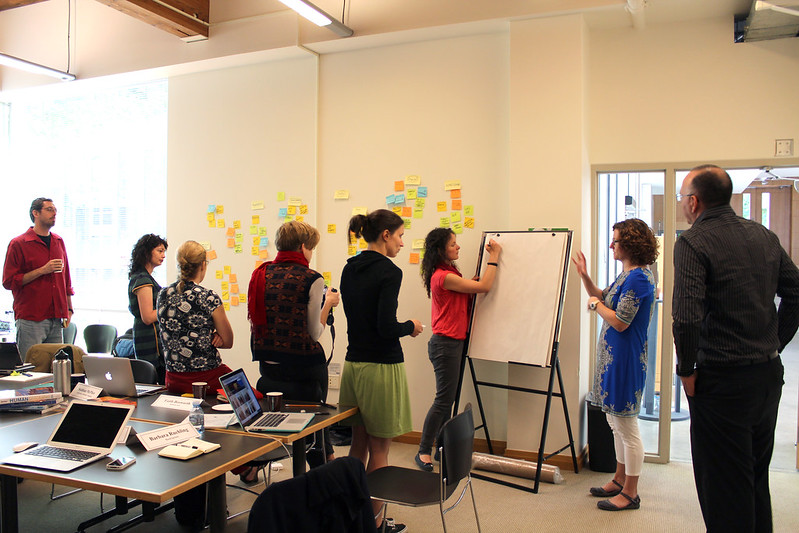
The first BC open textbook sprint wrapped up late Thursday night after 4 long days of collaborative writing, researching, editing and reviewing. We’ll have a more thorough debrief of the event in the coming days. For now, here is what is happening with the book.

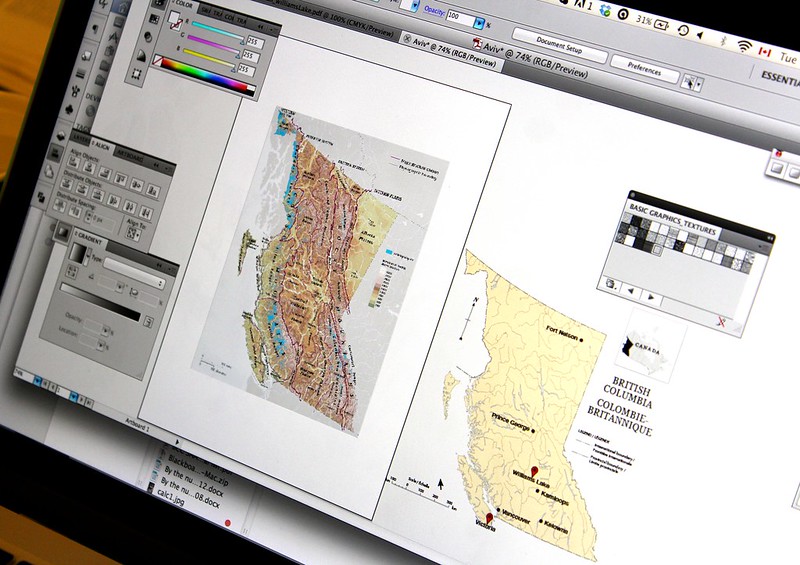
Mapping!

Over the next 2 weeks, we will be moving the book into PressBooks Textbooks, the platform we are using as our primary book creation platform. For the sprint, we did not use PressBooks but instead used a collaborative writing platform called PubSweet, created by the BookSprints team. After discussing whether to use the BookSprints platform or our platform, we decided to use PubSweet as the authoring platform for the sprint because the facilitators were familiar with the platform. And, given the mammoth task ahead of us to create a 1st year Geography textbook in 4 days, we decided that rather than add a level of complexity onto the process, we would stick with what our facilitators were familiar with working with. So, our first task post-sprint is to transfer the book from PubSweet to PressBooks Textbooks.

This should not be a huge issue as PubSweet exports the book in ePub and PressBooks Textbooks (thanks to the work of programmer Brad Payne) can import ePub files. We had a few moments of concern with our first attempts to import the book into PressBooks due to the way that PubSweet packages ePub files, but a few emails back and forth to the PubSweet developer by Barbara our facilitators and we think the issue is fixed. So, task one is to get the book into PressBooks.

IMG_1175

After that, I’ll be undertaking a thorough review of the book looking closely at how the resources we used are attributed. During the sprint, attribution of resources was often noting more than a link to where we found it (after we reviewed to ensure that we could use them under the open license we wished to publish with). But these resources are not attributed correctly, so that needs to be reviewed and corrected.

We will also have copy editors review the entire book. We are still working on the details of the contracts with our copy editors so that has added a bit of a delay in the release of the book. But, with some luck, we should have the copy editing underway in July and completed early August.

Finally, we will release the book. It will be available for download and reuse immediately after it is copy edited (we hope this will be done in August). Once it is publicly released, we will be soliciting peer reviews from Geography faculty from around the province, like we are currently doing with all the books in our collection.

There are many people to thank for making the past week possible. First and foremost, the 5 Geography faculty who were brave enough to commit to locking themselves in a room with a bunch of strangers to write a book in an incredibly short amount of time. The first to sign on was Arthur Green of Okanagan College, followed by Britta Ricker (SFU), Siobhan McPhee (UBC), Aviv Ettya (UFV), and Cristina Temenos (SFU). These people worked incredibly hard, putting in 12-14 hour days, to create the book. Barbara  Ruehling from BookSprints facilitated the entire event, assisted for the first 2 days by Faith Bosworth. UBC librarian Jon Strang was a priceless resource. The BCcampus support crew of Amanda Coolidge, Hilda Anggraeni (who was our illustrator and created & contributed dozens of maps and graphs during the sprint), Brad Payne and Christy Foote. Each of these people gave tirelessly to see the book created in 4 days and make this project happen.

See photos of the 4 day sprint on the BCcampus and BookSprint Flickr accounts. We also tweeted about it using the #bcbooksprint hashtag.

Day 1

All photos from BCCampus_news used under CC-BY-SA license